Stellaromics

Turning a research prototype into an instrument a lab can run.

We architected and delivered the instrument-facing software layer, from the user interface to high-throughput image rendering and experiment-control integration, turning a research prototype usable only by its inventors into a product a lab technician can operate.
UX Research
UI Design
Development
HMI Integration
WPF
About Pyxa

A 3D spatial multi-omics platform, and the software that makes it operable

Pyxa combines sample preparation, automated imaging, and 3D data analysis in one system. It captures gene expression in thick tissue sections up to 100 µm, at single-cell resolution, past the limits of 2D spatial biology. The platform is three things: a physical instrument, proprietary chemistry (SNAIL probes, SEDAL sequencing), and software.
This case study is about one part of that software, the instrument control software: the interface an operator uses to load a sample, run the multi-day workflow, and select the regions worth sequencing. The science didn't change. The product around it did.
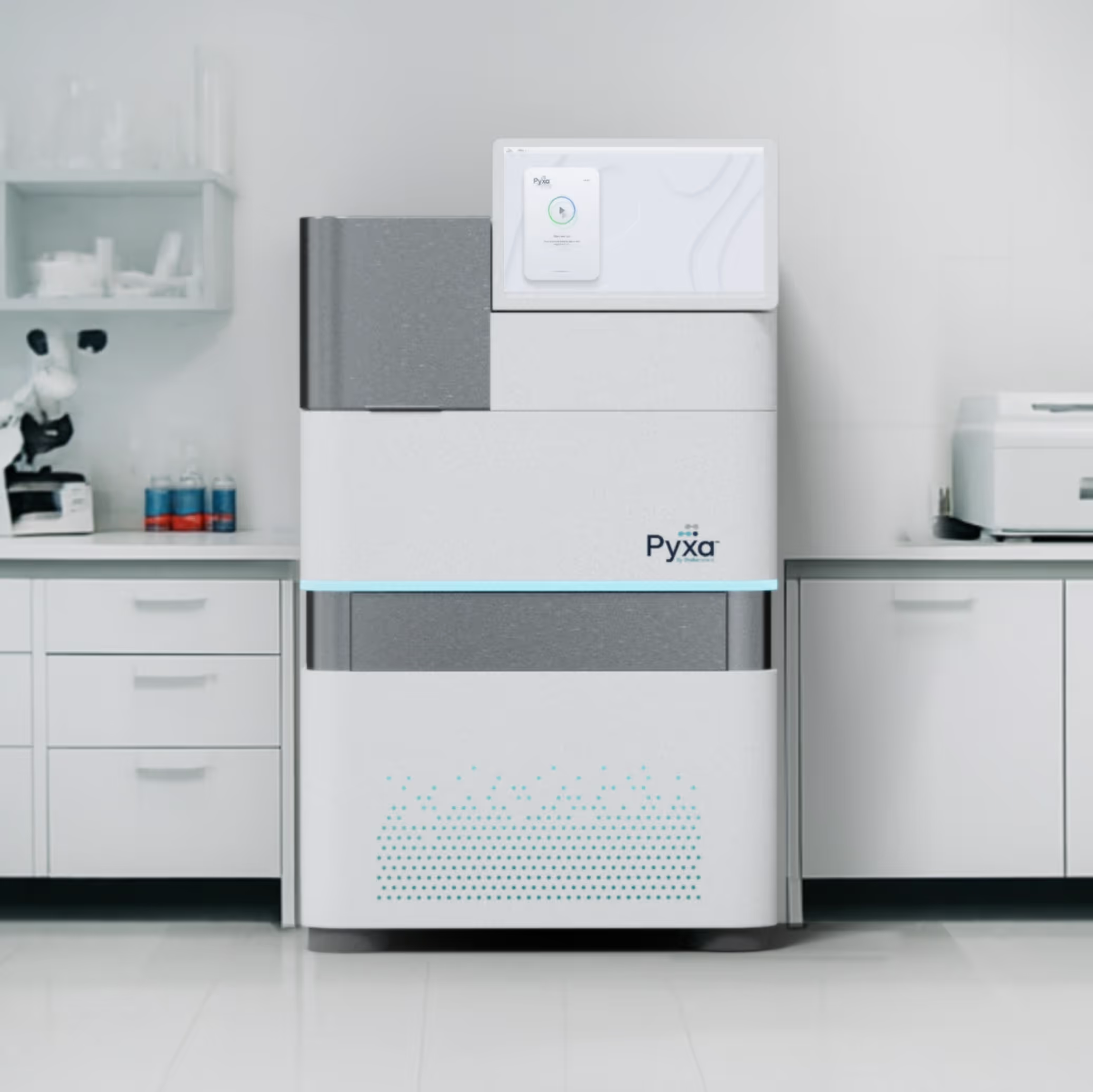
The Pyxa instrument by Stellaromics, a 3D spatial multi-omics platform for gene expression analysis in thick tissue sections at single-cell resolution.
The challenge

Pyxa already worked, but only for the people who built it. Operating it meant understanding the assay, the hardware, and the prototype’s internal logic. We had to make it run in the hands of a lab technician who had none of that context and couldn't afford a wrong move, without stripping the depth the scientists still rely on.

Two users, one product
A scientist who understands the assay and a technician who runs it, sharing one interface with opposite needs.
Knowledge with no single owner
The hardware on the other side
Long operations, asynchronous events, and physical states the interface can't fake.

“What stands out about UXDivers is their ability to balance user experience, product goals, technical constraints, and the realities of software-hardware interaction. They helped us simplify a complex scientific workflow while maintaining a streamlined and high-performance implementation.”

Daniel Bollish
Daniel Bollish
Principal Software Engineer at Stellaromics
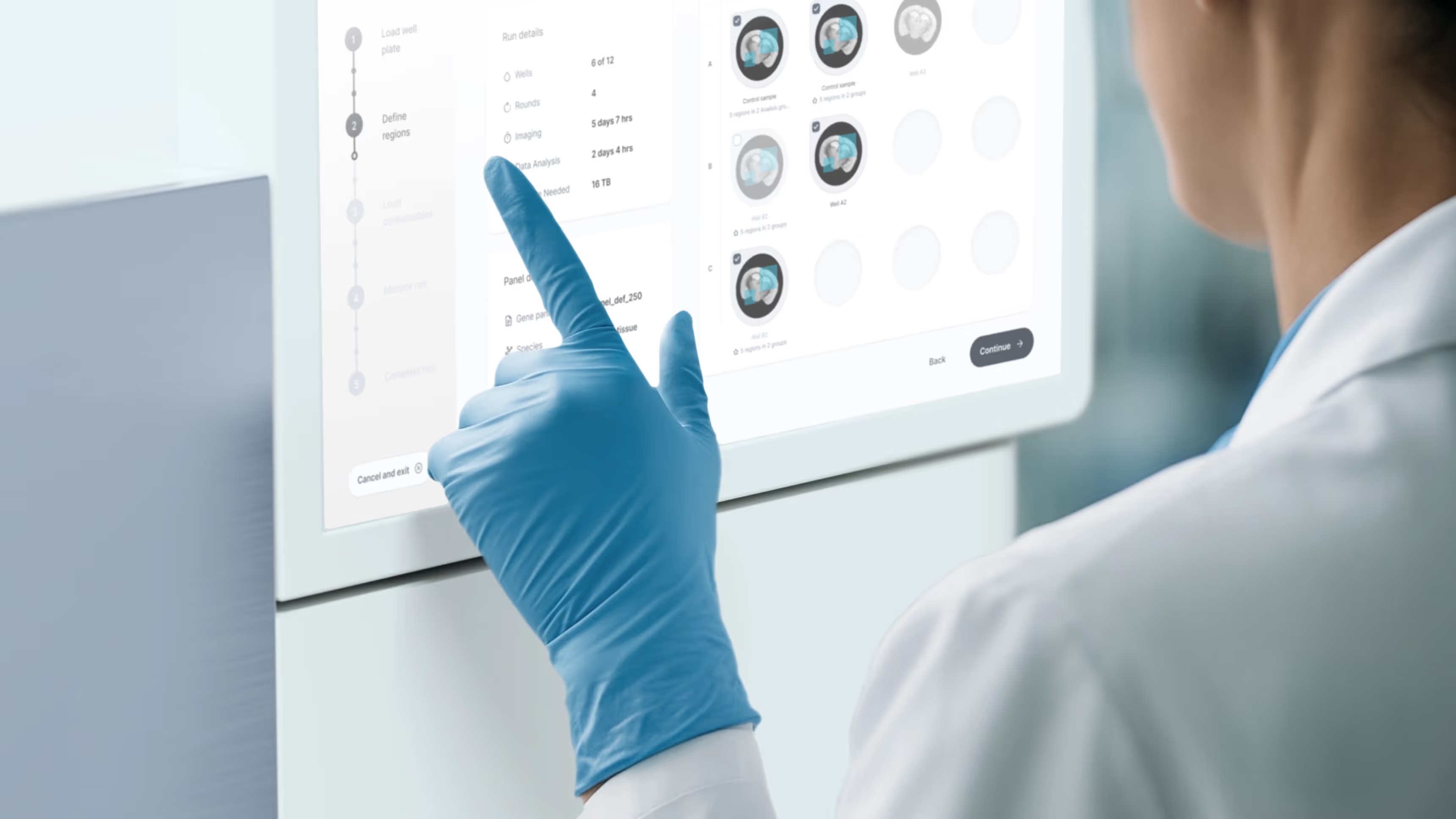
Lab technician in gloves reviewing the Monitor Run screen on the Pyxa instrument interface, showing well status grid and experiment progress.
$80
M
Series B raised
Domain language

Mapping the lab's vocabulary.

Before designing a screen, we mapped the spatial multi-omics workflow with Stellaromics' scientists, term by term, with synonyms and edge cases. Without a shared language between our team, the technicians, and the researchers, any workflow we designed would fall short.
Half of the early work wasn't interface; it was a glossary, and that glossary became the backbone of every label, state, and error message in the product.
Glossary — excerpt
Region of interest (ROI)
The sub-area of a sample the operator selects for the full run.
Analysis Group
A set of related ROIs grouped for shared analysis.
Amplicon
The amplified DNA signal generated from a target during sample preparation.
Overview Scan
A quick tissue scan used to identify and define regions of interest for further analysis.
Panel File
A reusable experiment configuration that defines the assay, required reagents, sample preparation, and instrument settings.
Thick tissue section
A sample 20 to over 100 µm thick, imaged in 3D rather than as a flat 2D slice
How we worked

Designing with the people who built the science.

We worked in three modes in parallel, not three phases in sequence. We co-designed with the scientists who created the method, validated each step with the technicians who would run it, and reconciled the two against the constraints of the hardware and engineering teams. Decisions held because every group that owned a piece of the problem had a hand in shaping them.
Co-design with the originators
Working sessions with the scientists behind the method, to author the interaction model rather than approve mockups.
Validation with operators
Testing each step with the technicians who run experiments for customers.
Reconciliation against constraints
Resolving the two views against the hardware, firmware, and engineering realities.
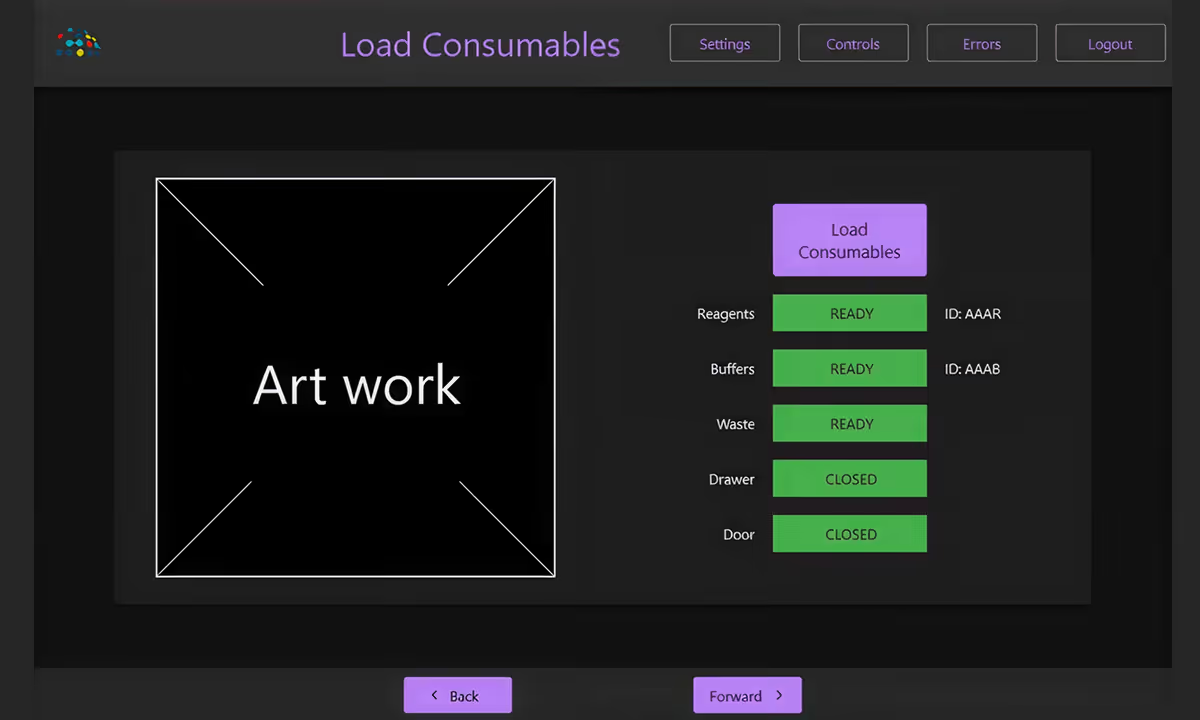
Ambient Weather afterAmbient Weather before
Before
After
Product decisions

Five decisions that shaped the product.

01
Designing for two operators at once
Pyxa has two users with opposite needs: a scientist who understands the assay end to end, and a technician who runs it for a customer and doesn't. We made a guided, guard-railed path the default, and added an Advanced mode that lets expert users skip the checks they don't need. A third mode, Demo, runs the product on a single touchscreen at conferences. One product serves all three without compromising any of them.
02
Reordering the workflow to fail cheap
The original sequence committed expensive reagents before confirming the sample was viable, so a failed prep wasted thousands of dollars and an irreplaceable sample. We reordered the flow: the instrument runs a quick scan and confirms signal before it ever asks the operator to thaw reagents. Failure now happens early, when it costs nothing.
03
Surfacing only what the operator needs
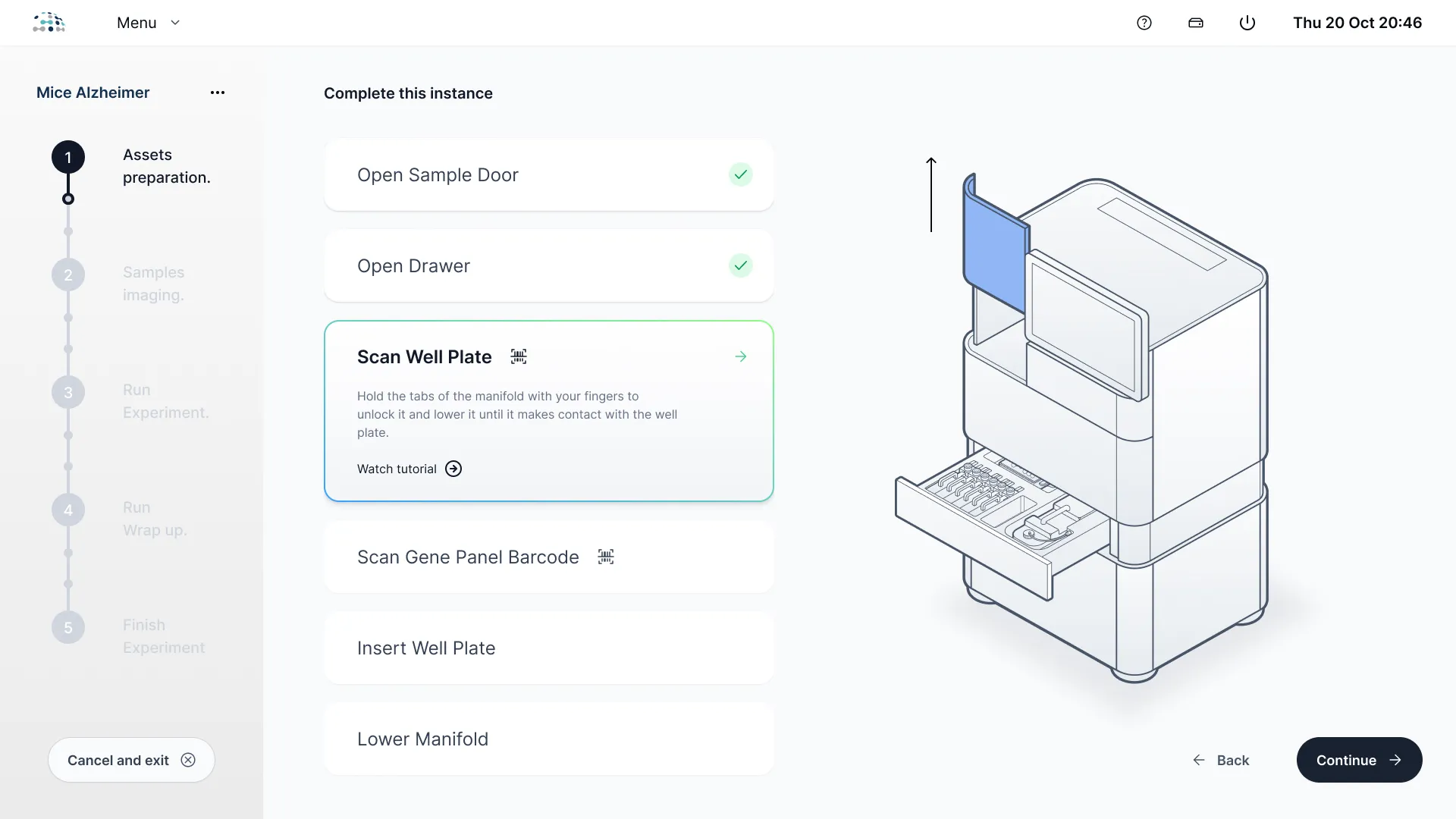
A spatial multi-omics run holds far more complexity than any single step requires. We built the interface around progressive disclosure, picture-based, step-by-step guidance and minimal text entry, since there's no keyboard, with depth one layer down. The operator sees only the decisions that matter now; everything else stays out of the way until it's needed.
04
Making the interface mirror the machine
Long, asynchronous operations and physical states can't be faked, and an action taken out of order can damage the instrument or ruin a run. We made many screens non-interactive status surfaces that reflect real hardware state, and built the workflows to catch out-of-order actions, explain them plainly, and roll back safely. The operator is never left guessing what the machine is doing, or stuck.
05
Building the workflow to be reconfigured
The science kept changing under the interface, and new contexts kept appearing. We defined the workflow declaratively, each screen describes itself, not the next, and isolated the UI from the instrument's control software behind a dedicated layer. The payoff was direct: a full conference Demo mode came together in days, and backend changes rarely broke the experience.
Engineering notes

Under the hood.

Pyxa's software coordinates large 3D datasets, a physical instrument, and a workstation that can't be cloud-tethered. Three engineering decisions held the rest of the product together.
WPF
DirectX
.NET
MVVM (Prism)
Bridging DirectX 9 and 11 for 3D rendering
WPF renders natively on DirectX 9, but Pyxa's tissue images, large, tiled, zoomable in 3D, needed DirectX 11. We built an interop layer that shares GPU textures between the two and a custom renderer on top: the .NET side controls what's drawn and at what zoom, while rendering stays close to the GPU. The same surface now drives touch-based ROI selection and is reused across internal tools.
Isolating the UI from the instrument
We placed an abstraction layer between the interface and the instrument's control software and proprietary protocols. When the science team changed something low-level, we updated one layer and nothing else broke, which is what let the design iterate quickly without waiting on the backend.
Defining the workflow declaratively
The product is one large guided workflow, defined as data rather than hard-coded transitions, so no screen needs to know the next. That decision paid for itself: a conference Demo mode was assembled in days by redefining the workflow, and Advanced mode reused the same engine.
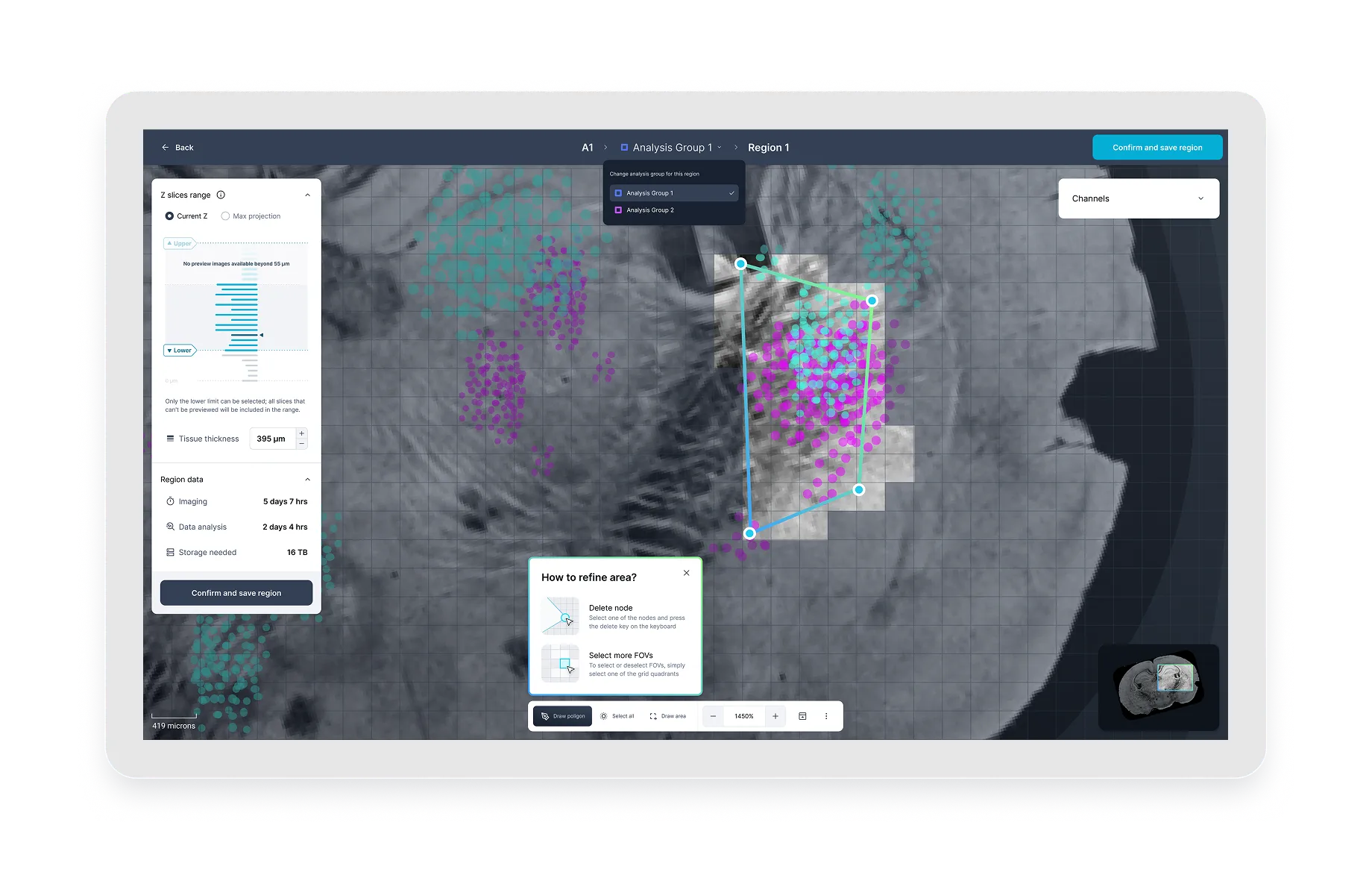
Screenshot of PyxaStudio showing the region selection interface on a mouse brain tissue scan, with Z-slice range controls, region data metrics, and a contextual how-to panel for refining the selected area.
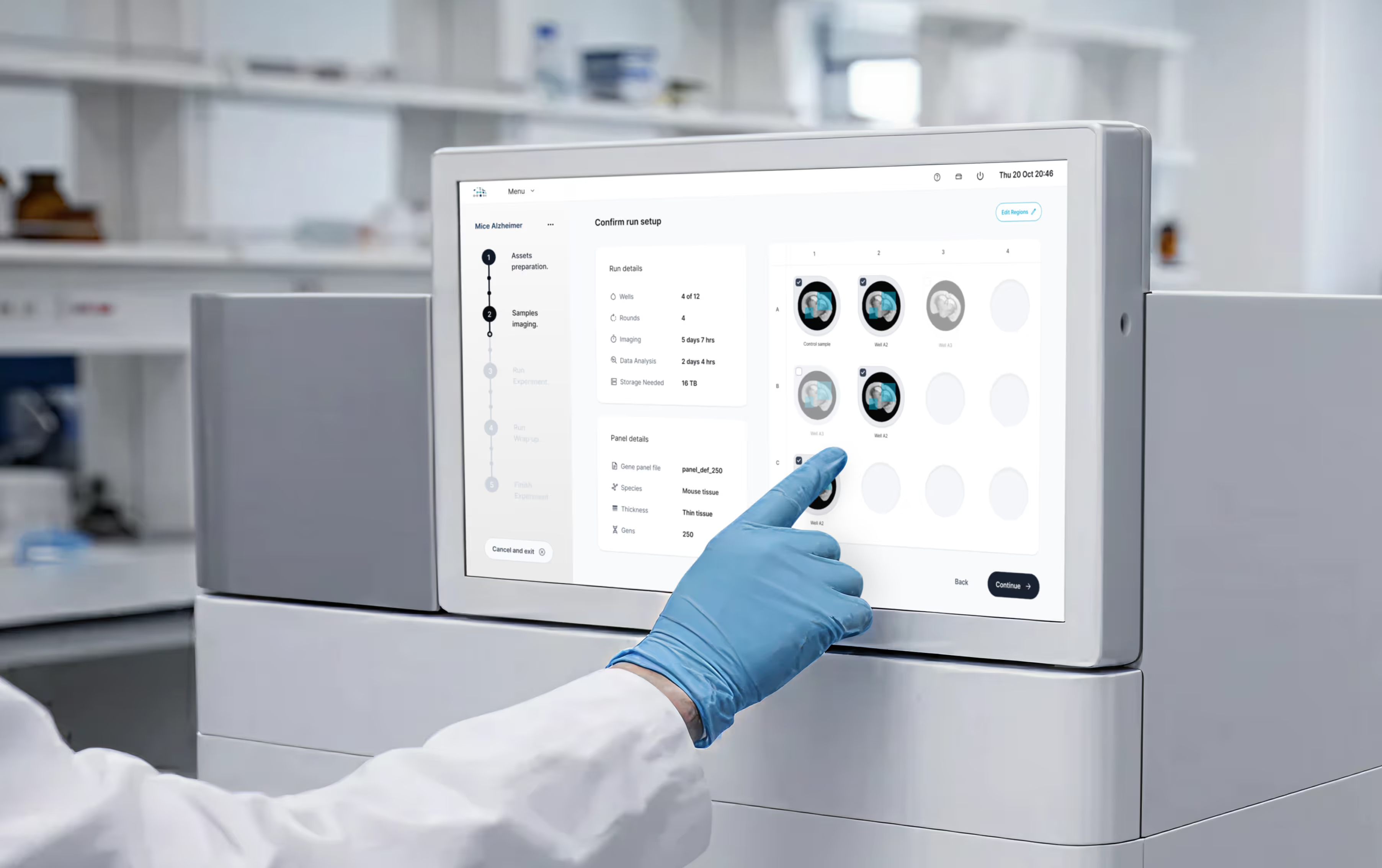
Lab technician in gloves interacting with the Pyxa touchscreen interface, navigating the Confirm Run Setup screen with well status indicators.

Building a complex system?

We design and engineer production-ready interfaces for embedded systems, desktop platforms, and cross-platform products.th Untitled.
Book a Call