From Figma to Qt: What We Learned Testing a Real Embedded Workflow
Moving from a polished Figma design to a production-ready interface is rarely a straight line. There is usually a significant amount of work between the two: recreating layouts, translating styles, implementing components, adapting interactions, and making sure the final product still reflects the original design intent.
Moving from a polished Figma design to a production-ready interface is rarely a straight line.
There is usually a significant amount of work between the two: recreating layouts, translating styles, implementing components, adapting interactions, and making sure the final product still reflects the original design intent.
At UXDivers, this gap between design and implementation is something we deal with constantly.
So when we had the opportunity to evaluate Figma to Qt, we wanted to test it in a realistic environment rather than on a simplified demo.
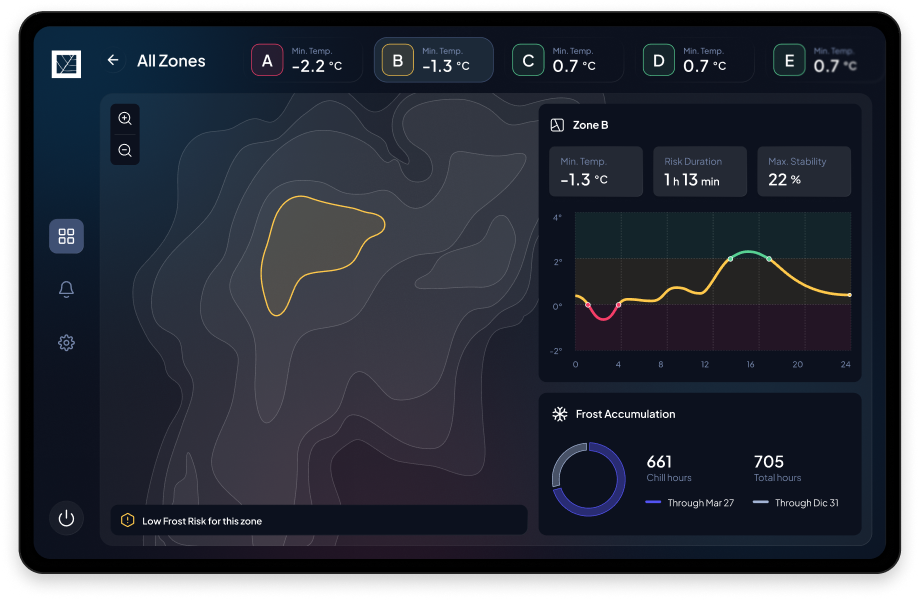
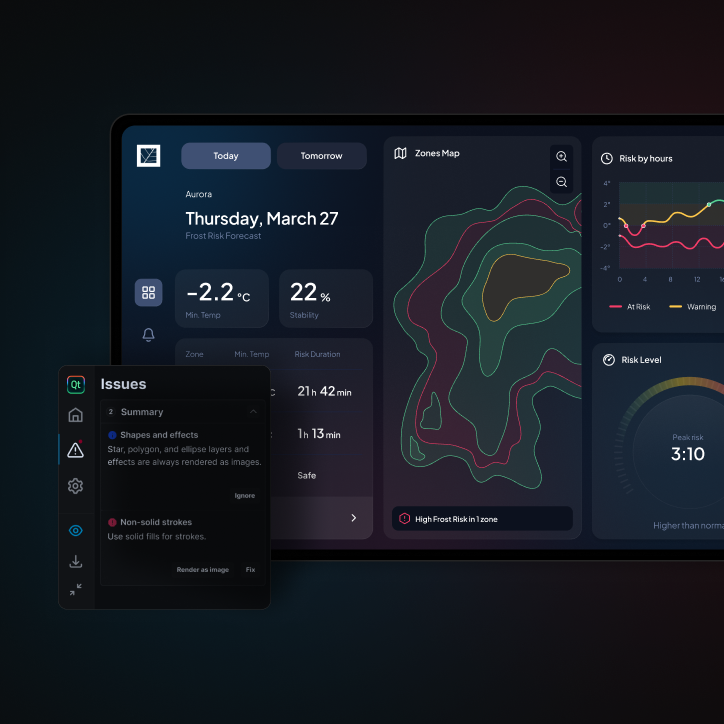
For the evaluation, we used The Climate Box, an embedded application designed around climate monitoring and frost-risk information.
The interface includes many of the elements you would expect to find in a real product: multiple screens, navigation, settings, status indicators, reusable components, charts, gauges, and map-based visualizations.
We implemented and validated the application on a Toradex Verdin iMX8M Plus, giving us a real embedded environment in which to evaluate the workflow.
The goal was simple:
What happens when we compare a traditional manual QML implementation with a workflow assisted by Figma to Qt?
What we compared
We built the same interface using two approaches.
In the first, the UI was implemented manually in QML.
In the second, we used Figma to Qt wherever the workflow could benefit from automation, while keeping complex components, application logic, backend integration, and custom interactions under developer control.
We looked at more than just speed.
The evaluation considered:
What surprised us
The biggest surprise was the quality of the starting point.
For supported interface elements, Figma to Qt was able to preserve much of the layout, spacing, typography, colors, and visual hierarchy defined in Figma.
That matters because rebuilding conventional UI elements manually is repetitive work.
Reducing that work gives developers more time to focus on the parts of the product where engineering expertise creates more value: architecture, behavior, integration, performance, and custom components.
In our evaluation, we estimate that the plugin-assisted workflow reduced the overall implementation effort by approximately 20%, representing roughly 50 hours of saved work in this project.
The exact impact will naturally vary depending on the composition of the interface. The Climate Box includes a relatively high proportion of custom components and application logic that still require manual development.
Figma structure matters
One of the clearest lessons from the study is that the quality of the generated result depends heavily on the quality of the Figma file.
Auto Layout, reusable components, naming, constraints, and overall structure become much more important when Figma is no longer simply a visual reference but an input into the implementation workflow.
This changes the relationship between design and engineering.
Designers need to think more explicitly about how interfaces are structured, while developers gain a clearer connection to the approved design.
Automation does not replace engineering
Figma to Qt is not a button that turns a design into a finished application.
Complex charts, maps, gauges, dynamic behavior, backend integration, business logic, architecture, and production-specific decisions still require development expertise.
And that is an important part of the story.
The most interesting value of the plugin is not that it eliminates engineering.
It is that it can remove some of the repetitive work between design and engineering and create a stronger shared starting point.
Closing the gap between design and implementation
At UXDivers, we work at the intersection of product design, user experience, and frontend engineering.
That means we are particularly interested in tools that make those disciplines work better together.
Our experience with Figma to Qt suggests that design-to-code workflows can be valuable when they are treated as part of a broader product-development process rather than as a replacement for it.
A well-structured design can move closer to implementation.
Developers can start from something much closer to the intended experience.
And both sides can spend more time solving the product problems that actually require human judgment.
Read the full whitepaper
The full whitepaper goes deeper into the methodology, implementation comparison, efficiency findings, limitations, and practical recommendations from the project.

.png)